1. ERPNext sales cycle
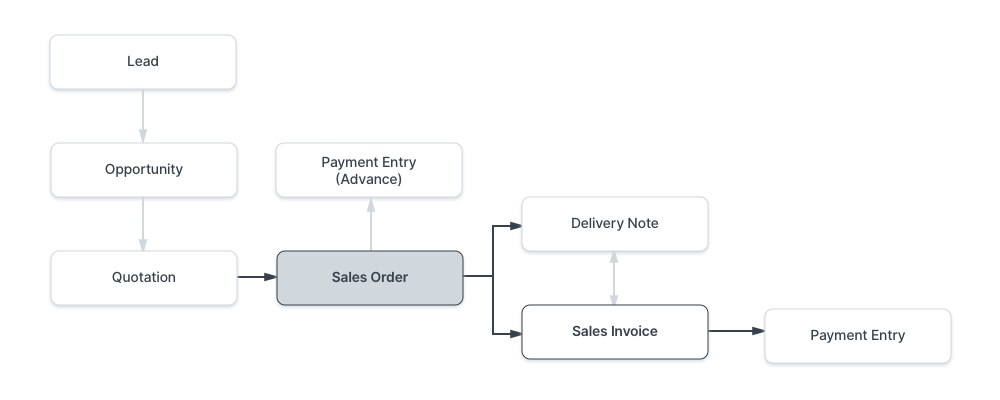
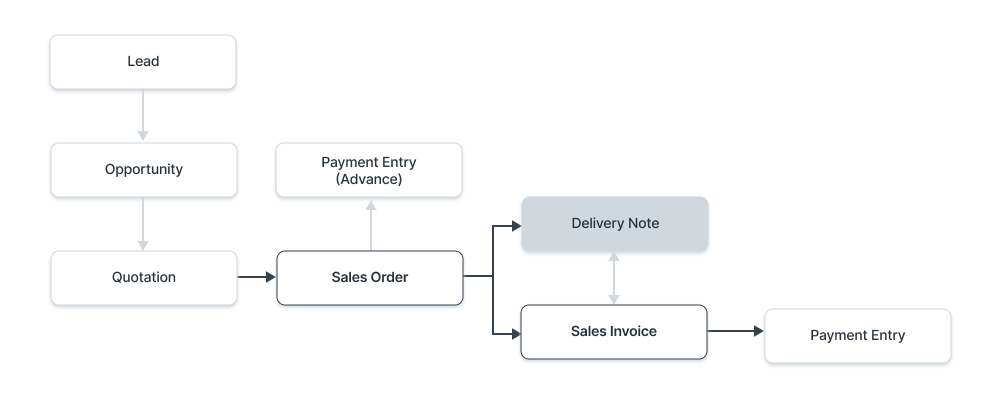
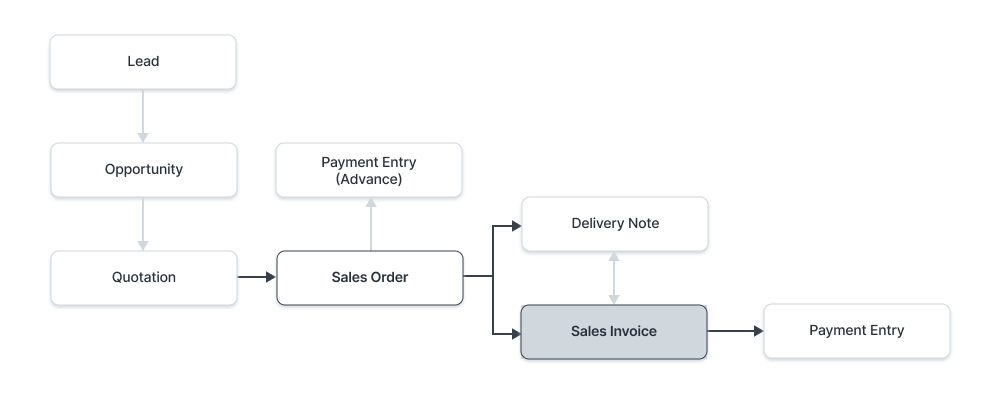
The sales cycle usually moves from Quotation to Sales Order, Delivery Note, Sales Invoice, and Payment Entry. The company does not need to use every document, but its policy must be clear.

2. Sales Order as an operational reference
Sales Order confirms a customer order and helps track ordered, delivered, billed, and pending quantities.
3. Delivery Note and stock impact
Delivery Note records goods delivered to the customer and usually reduces stock from the selected warehouse.
4. Sales Invoice, receivables, and taxes
Sales Invoice is the financial document. Posting Date affects the General Ledger and Due Date affects receivables aging.
5. ERPNext purchase cycle
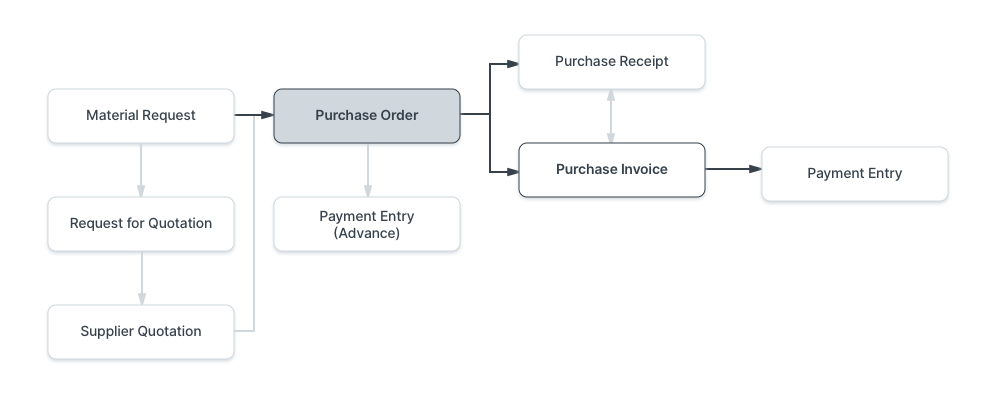
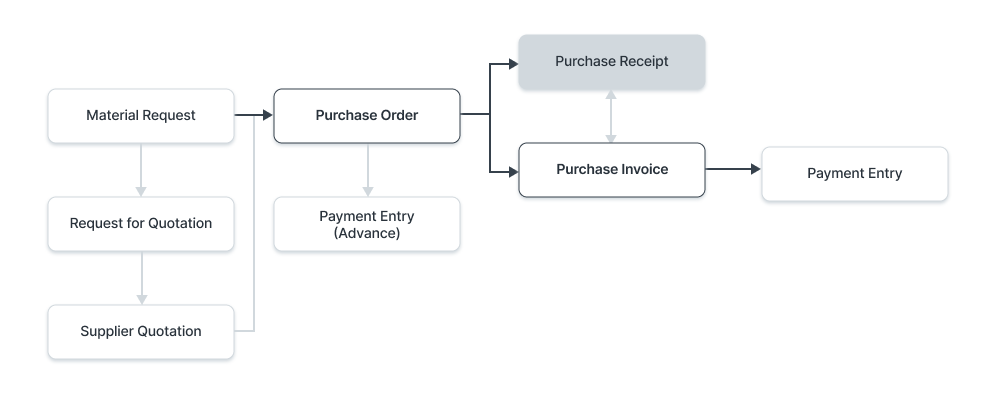
The purchase cycle can start from Material Request or Supplier Quotation, then Purchase Order, Purchase Receipt, Purchase Invoice, and Payment Entry.

6. Purchase Order controls
Purchase Order can be created directly or from Material Request or Supplier Quotation and represents an operational commitment to the supplier.
7. Purchase Receipt and Purchase Invoice
Purchase Receipt records stock receipt, while Purchase Invoice records the supplier liability. They may happen together or separately depending on company policy.
8. Pricing, taxes, and control reports
Price Lists, Sales/Purchase Taxes and Charges Templates, Item Tax Templates, and Tax Categories should be understood before users create daily transactions.
Course summary for search and AI discovery
A practical ERPNext Sales and Purchasing course covering the sales cycle, purchase cycle, delivery, receipt, invoicing, pricing, taxes, and operational controls.
Topics and keywords
- ERPNext Sales
- ERPNext Purchasing
- Sales Order ERPNext
- Sales Invoice ERPNext
- Delivery Note ERPNext
- Purchase Order ERPNext
- Purchase Receipt ERPNext
- Purchase Invoice ERPNext
- ERPNext Jordan
- NextFuture ERPNext Training