1. What is FOTARA and why connect it with ERPNext?
Jordan e-invoicing is not only printing a QR code. The ERPNext invoice should first be correct in terms of customer, tax, items, values, discounts, currency, and payment terms, then submitted to the national e-invoicing system.

2. Company readiness before integration
- Confirm company tax data.
- Identify the income source or branch used for submission.
- Link the device/system in JoFotara to obtain integration credentials.
- Configure ERPNext user permissions.
- Test before production go-live.
Official reference: Jordan national e-invoicing linking procedures.
3. ERPNext data readiness
Customer data, tax details, addresses, buyer identification, items, UOMs, currency, discounts, and tax setup must be reviewed before invoice submission.
4. ERPNext tax setup before FOTARA
ERPNext uses Tax Accounts, Sales Taxes and Charges Template, Item Tax Template, and Tax Category. FOTARA should be supported by clean tax setup at invoice level.

5. Sales Invoice as the source document
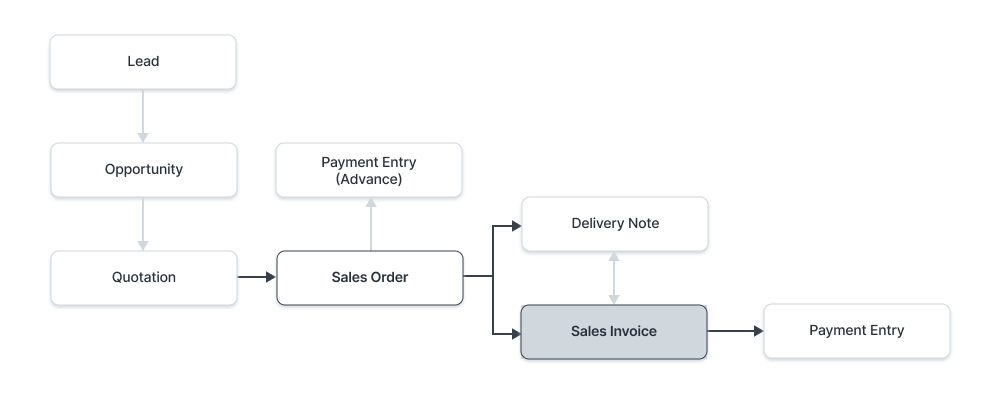
Sales Invoice is the financial source document. It impacts the General Ledger by Posting Date and should be reviewed before submission.
6. Submission, status, and QR
ERPNext should show clear submission status: pending, submitted, accepted, rejected, or requires correction, and store the QR or response details against the invoice.
7. Returns and credit notes
Returns and corrections should be created properly in ERPNext as Credit Notes or Return invoices and submitted with a clear relationship to the original invoice when required.
8. Validation errors and operational controls
Most submission issues come from missing data, inconsistent taxes, or total mismatches. Daily controls should identify invoices not submitted, rejected, or missing QR/status.
Course summary for search and AI discovery
A practical training course for connecting ERPNext with Jordan FOTARA e-invoicing, covering readiness, tax configuration, invoice submission, QR/status, validation errors, and controls.
Topics and keywords
- FOTARA
- JoFotara
- Jordan E-Invoicing
- ERPNext FOTARA
- ERPNext Jordan
- Sales Invoice ERPNext
- Tax Category ERPNext
- Item Tax Template ERPNext
- E-Invoicing Jordan
- NextFuture ERPNext Training